Vendor Check
Vendor Check is live. I designed its mobile experience around vendor credentials and facility visits, carrying the shared design language from Provider Wallet into check-in and visit management. Location data and geofencing notify vendors when they are near a facility and remind them to check in.
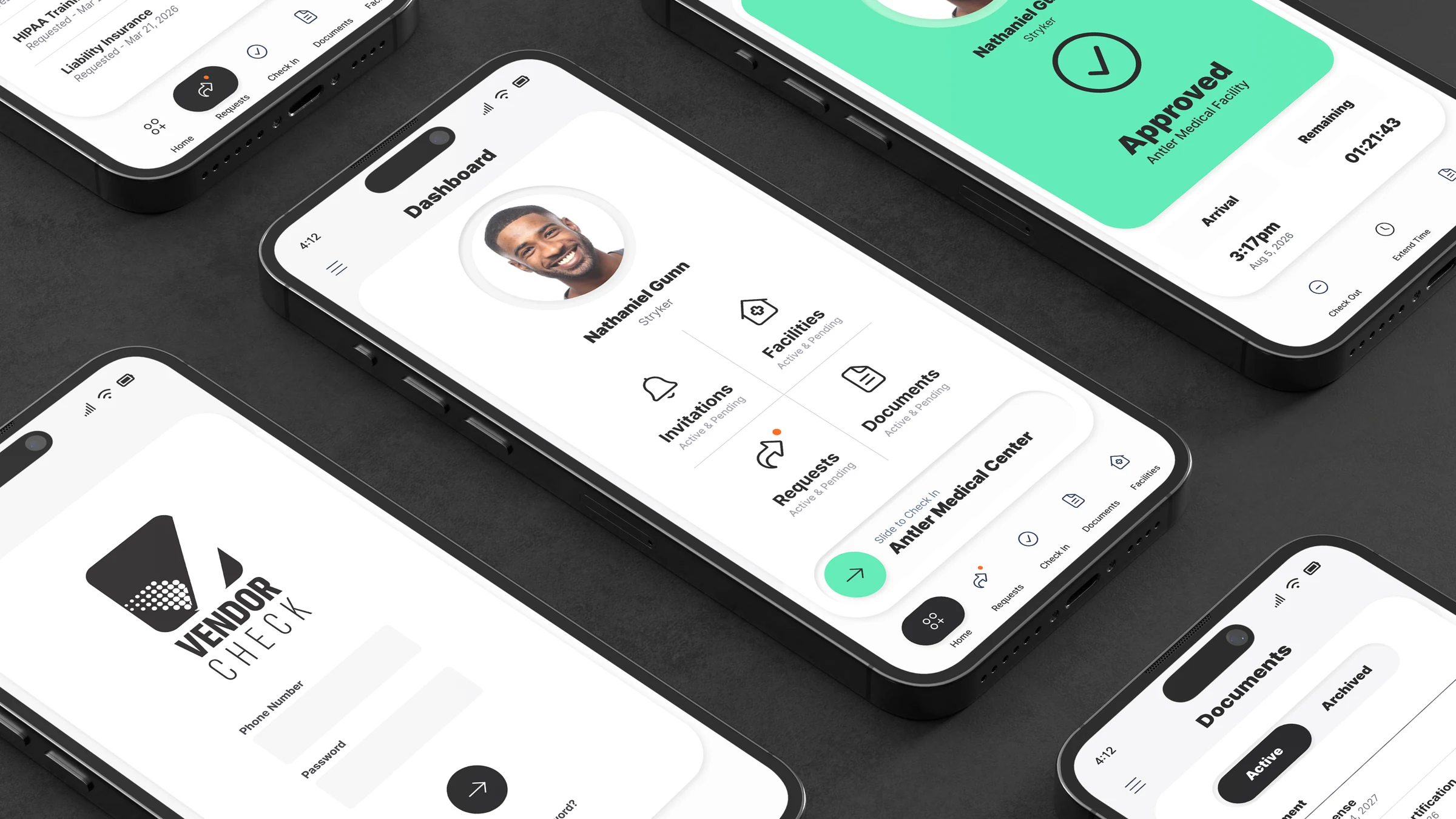
Access is only useful when readiness is legible.
I carried the shared design language from Provider Wallet into Vendor Check’s facility-visit workflows. Location data and geofencing connect the mobile experience to arrival: users are notified when they are near a facility and reminded to check in.
Credential work is distributed across facilities, documents, requests, and physical access. The interface must make current state clear before asking the vendor to act.
I kept facility context, credential requirements, and visit status together so vendors can see what needs attention before acting.
A healthcare vendor managing professional access and credentials.
The user moves between facilities, often near the point of entry. Vendor Check needs to answer three questions quickly: Am I ready? What is missing? What happens next?
Product goals
G.01
Enter with confidence
Receive a reminder near the facility to check in, then see the access state clearly.
G.02
Stay compliant
See missing, requested, and expiring credentials at a glance.
G.03
Manage the visit
Track arrival, remaining time, extension, and checkout.
G.04
Resolve exceptions
Understand denied access and the next corrective action.
Information architecture
Dashboard

Invitations
Requests
Check In
Documents
Facilities
MENU → MY ACCOUNT · VISITS · FAQs · FEEDBACK · SIGN OUT
Five journeys, one connected access model.
I organized the visit around readiness, arrival, and the action needed next. This map connects invitations, credentials, check-in, and visit exceptions while keeping each facility’s context intact.
GRID 5 × 5 · CONNECTED INTERFACE STATES
01 · ENTRY
02 · ORIENT
03 · REVIEW
04 · DECIDE / ACT
05 · RESOLVE
01
Onboarding
Establish trust, then reveal work.
Vendor Check
Restrained branded launch
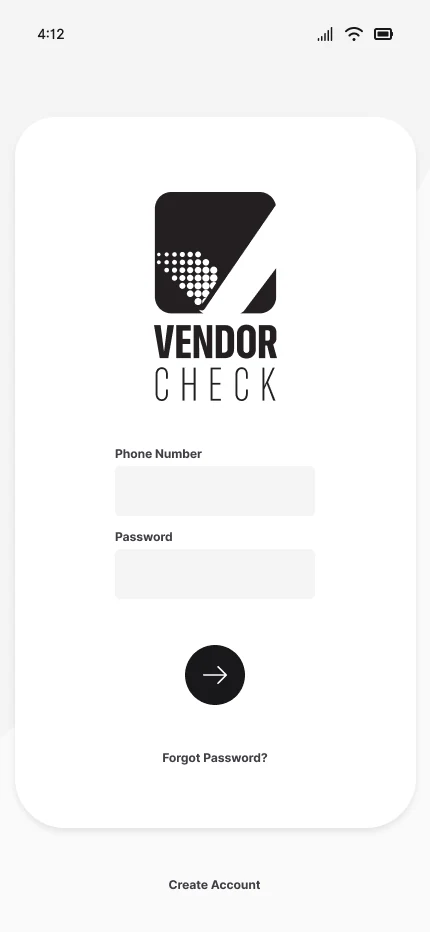
Sign in
Phone number · password

Credentials valid?
Identity established
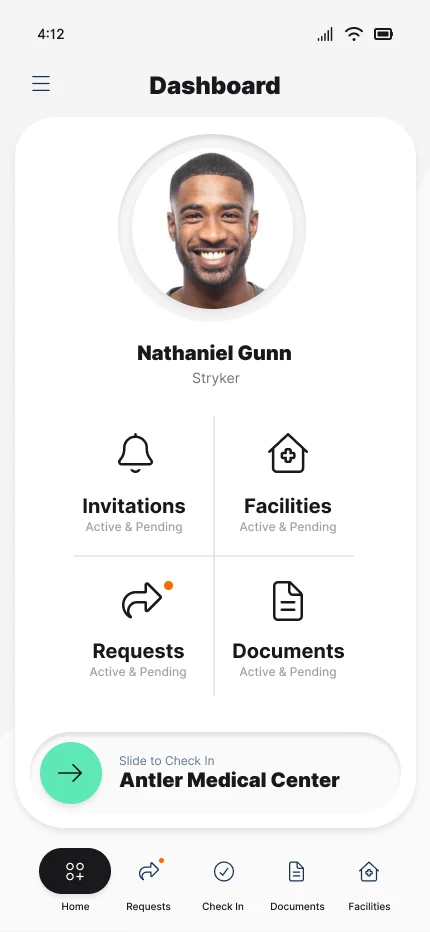
Dashboard
Personal operational overview
Trusted home
Active facility in context
02
Check-in
Prompt arrival, then manage the visit.
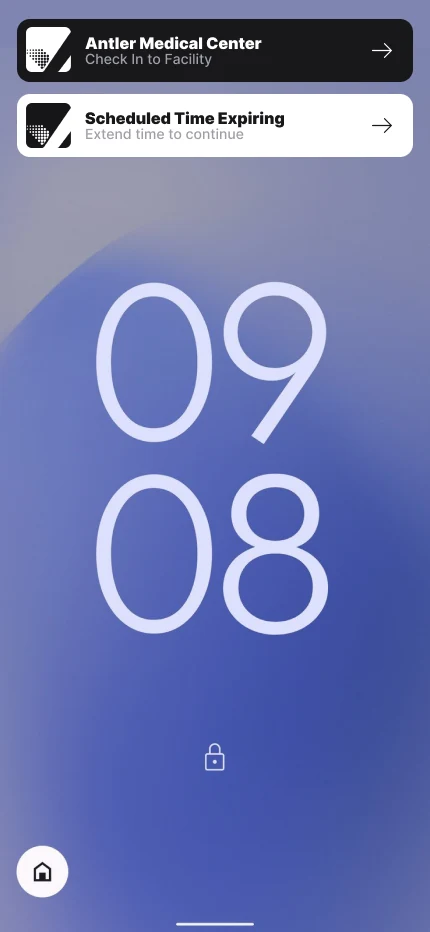
Nearby reminder
Geofencing prompts check-in
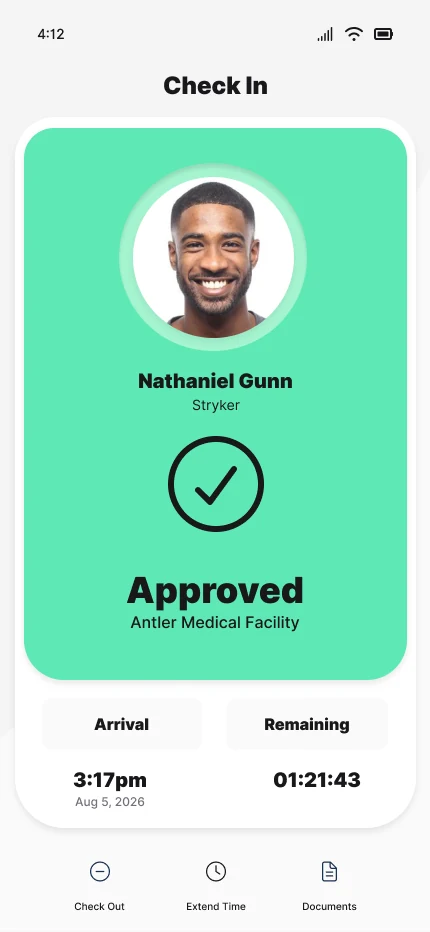
Approved
Arrival and remaining time
Extend time?
Exception control
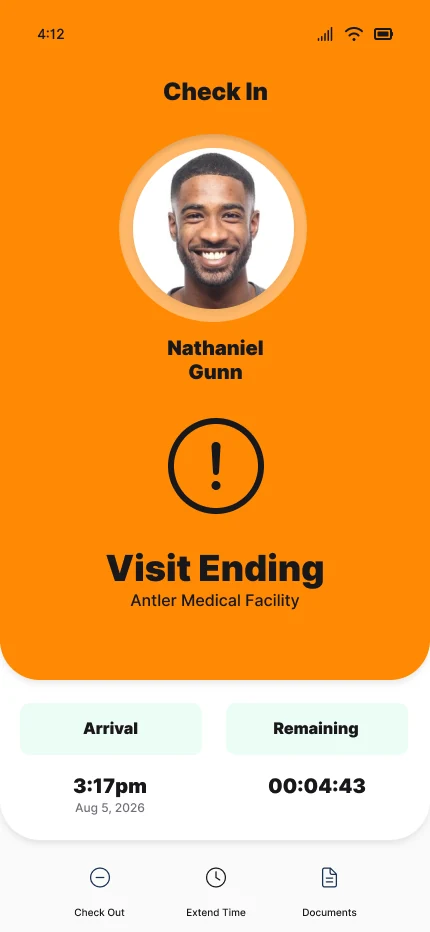
Visit Ending
Urgency escalates
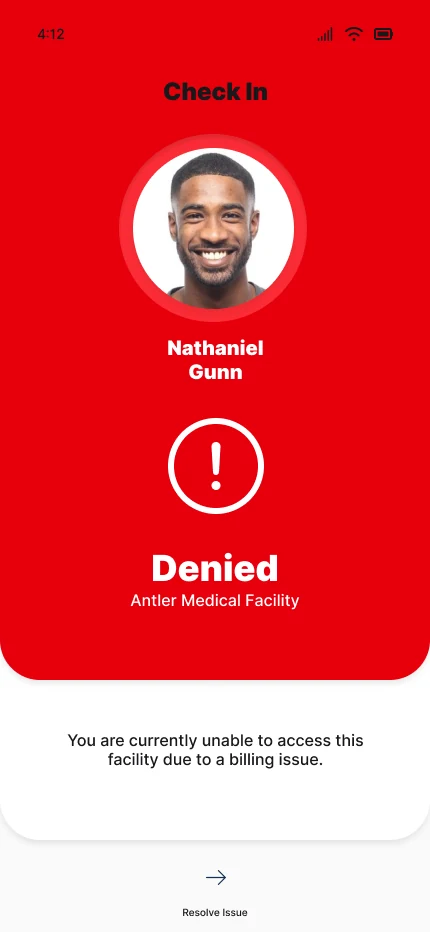
Denied
Blocked access explained
03
Facility
Preserve invitation context.
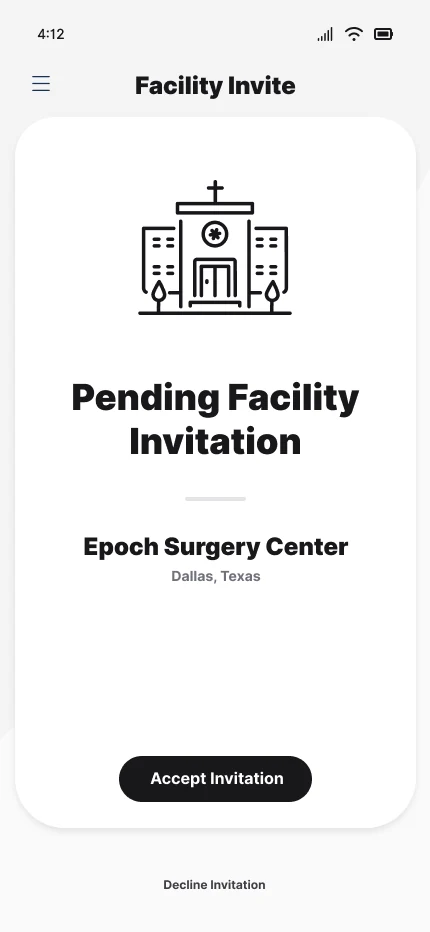
Invitation
Epoch Surgery Center
Accept?
Accept or decline
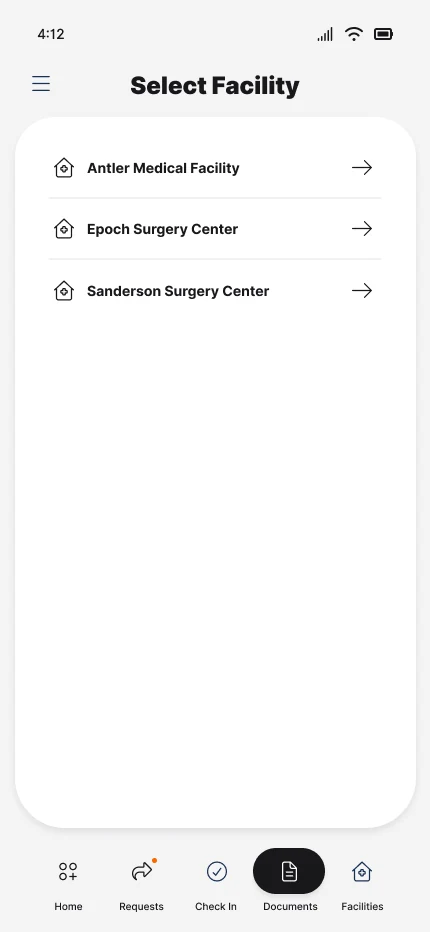
Select Facility
Approved destinations
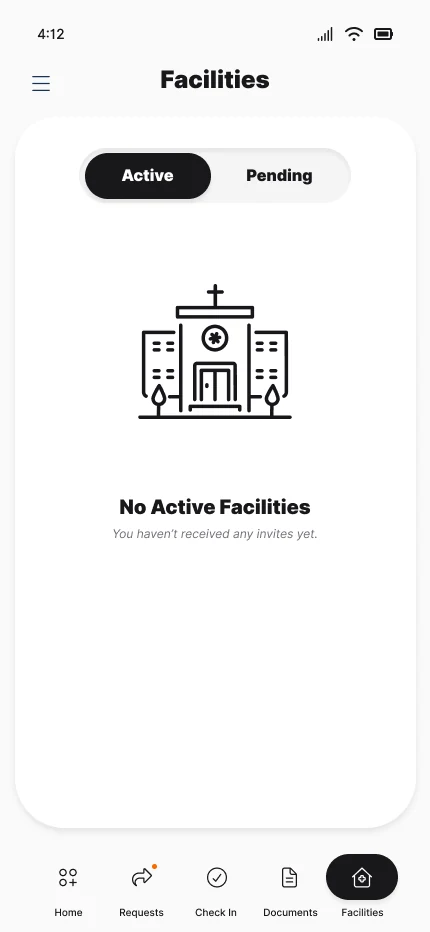
Facilities
Active / pending model
Destination set
Facility identity persists
04
Documents
Discover, upload, maintain.
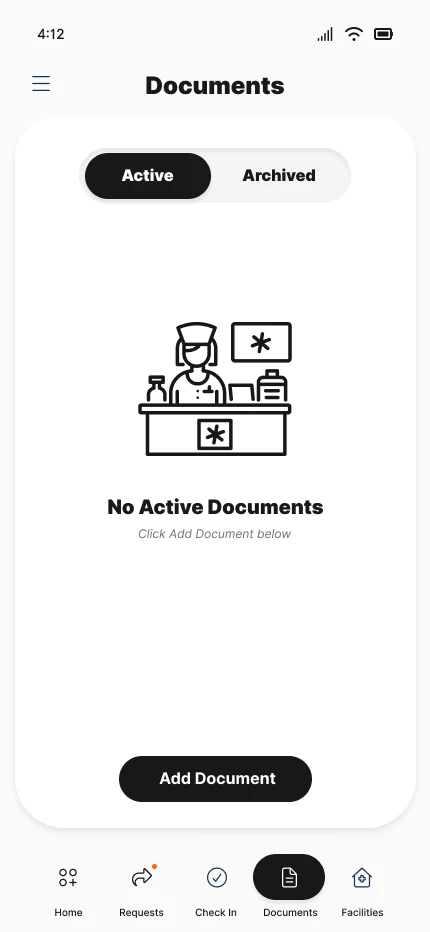
Documents
Empty state + clear action
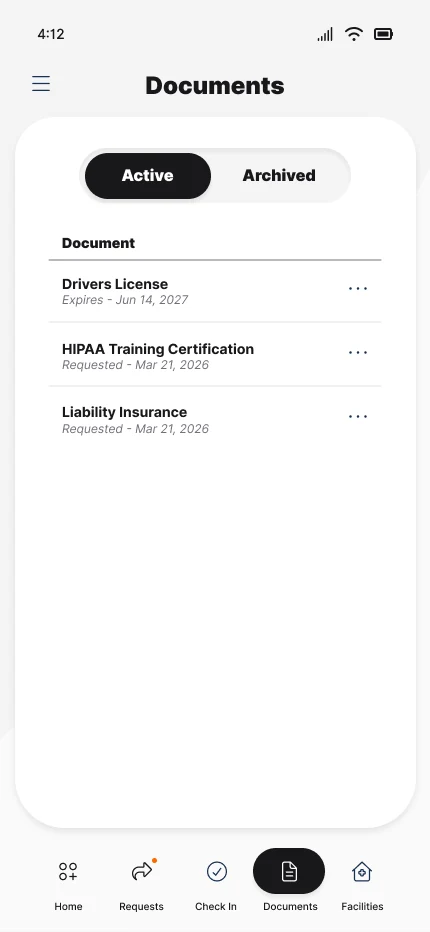
Credential list
Active / archived records
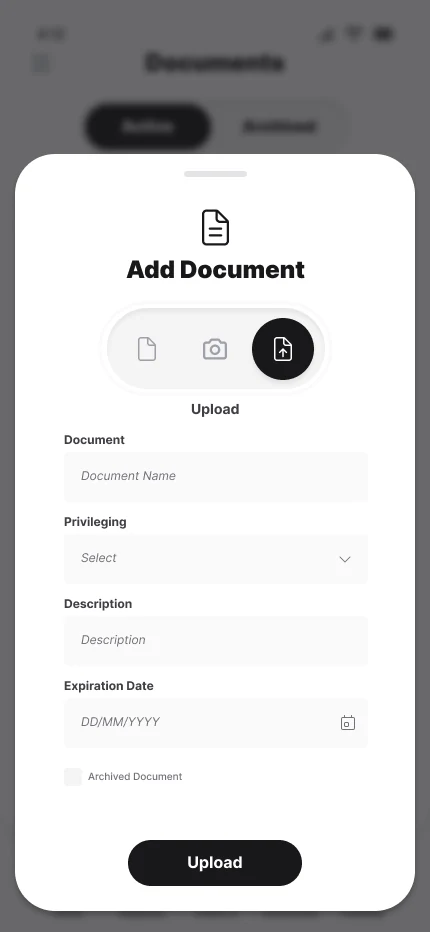
Add Document
File · Camera · Upload
Save credential
Metadata + expiration
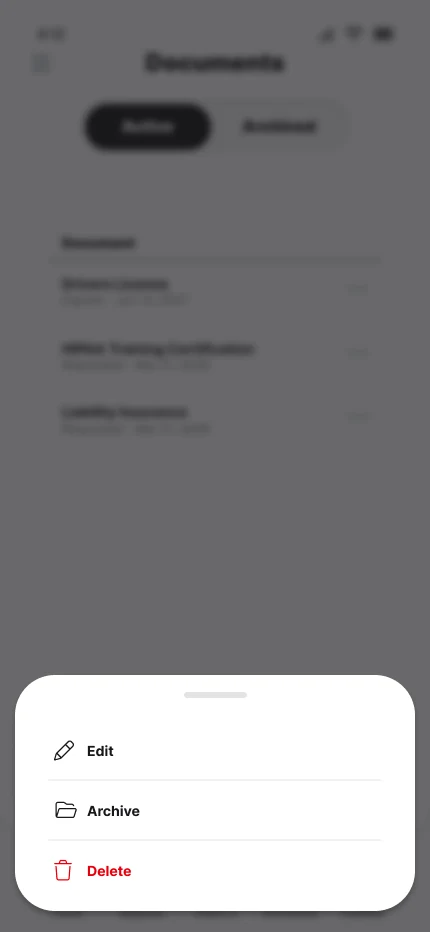
Item actions
Edit · Archive · Delete
05
Navigation
Keep frequent work one tap away.
Dashboard hub
Four primary task tiles
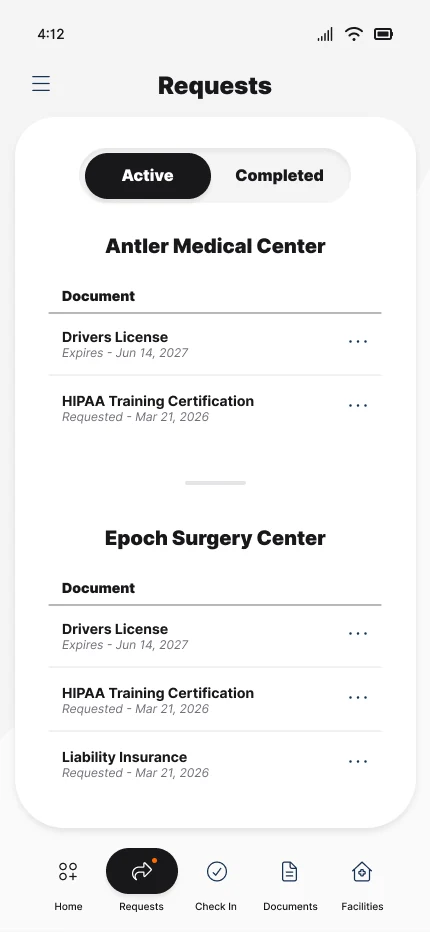
Requests
Facility-grouped credentials
Choose route
Primary or secondary?
Menu
Account · visits · support
Session exit
Sign Out


RETURN TO DASHBOARD / SHARED NAVIGATION
Read the workflow steps
Onboarding
Vendor Check: Restrained branded launch → Sign in: Phone number · password → Credentials valid? → Dashboard: Personal operational overview → Trusted home: Active facility in context
Check-in
Nearby reminder: Geofencing prompts check-in → Approved: Arrival and remaining time → Extend time? → Visit Ending: Urgency escalates → Denied: Blocked access explained
Facility
Invitation: Epoch Surgery Center → Accept? → Select Facility: Approved destinations → Facilities: Active / pending model → Destination set: Facility identity persists
Documents
Documents: Empty state + clear action → Credential list: Active / archived records → Add Document: File · Camera · Upload → Save credential: Metadata + expiration → Item actions: Edit · Archive · Delete
Navigation
Dashboard hub: Four primary task tiles → Requests: Facility-grouped credentials → Choose route → Menu: Account · visits · support → Session exit: Sign Out
Tasks remain explicit from entry to resolution.
These three workflows connect credential tasks with the facility visit: resolving an invitation, responding to a request, and managing check-in. Each keeps the next action close to the state that prompted it.
Confirm and manage a facility visit
The visit begins before the lobby. Vendor Check uses location data and geofencing to notify users when they are near a facility and remind them to check in. The visit flow then makes approval, remaining time, and extension actions visible.
WORKFLOW · FROM NEED TO ACTION

- 01
Prompt check-in nearby
A location-based notification reminds the vendor to check in when they are near a facility.
- 02
Confirm eligibility
Approved state pairs identity, facility, arrival, and remaining time.
- 03
Escalate urgency
The ending state shifts color and foregrounds the remaining 4:43.
Resolve a facility invitation
A pending invitation carries facility identity from review through acceptance and into the active destination model.
WORKFLOW · FROM NEED TO ACTION
- 01
Review in context
Epoch Surgery Center and location remain attached to the invitation.
- 02
Accept or decline
The primary decision is explicit and reachable without leaving the card.
- 03
Choose the destination
Approved facilities become selectable while empty-state language stays clear.
Add and maintain a credential
The document loop moves from an instructive empty state to an active list, structured upload, and contextual record actions.
WORKFLOW · FROM NEED TO ACTION
- 01
Prompt the first upload
An empty state explains the gap and provides one direct action.
- 02
Capture useful metadata
Source, category, description, and expiration support future maintenance.
- 03
Keep actions contextual
Edit, archive, and delete remain attached to the selected credential.
Repetition makes operational state predictable.
Vendor Check deliberately shares Provider Wallet’s styling and interaction patterns. Reusing the dashboard structure, navigation, credential lists, and contextual dialogs supported a quick turnaround and a cohesive product family, with visit timing and access states tailored to vendor workflows.
Identity establishes context before action.
A named profile, facility context, and four task domains share one calm home state.

- 01
Keep core tasks easy to find
I reused the main task destinations from Provider Wallet to keep the sister apps familiar while adding visit-specific actions.
- 02
Status stays secondary
Counts support decisions without competing with the user identity.
- 03
Facility remains visible
The active medical center anchors every downstream action.
Credential work is grouped by facility.
Status, document name, request date, and expiry information live in repeatable rows.
- 01
Lifecycle is filterable
Active and completed requests occupy one predictable segmented control.
- 02
Facility precedes credential
Grouping answers “where is this required?” before “what is it?”
- 03
Metadata communicates urgency
Requested dates and expiration details support prioritization.
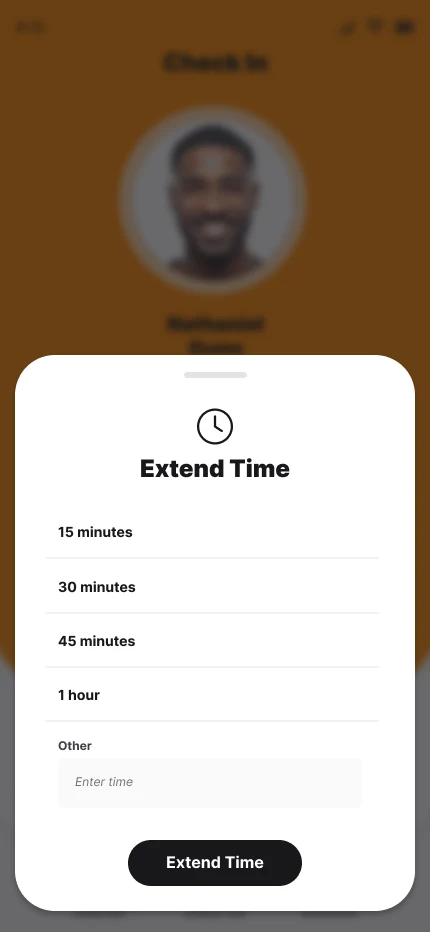
The modal preserves origin and narrows attention.
The underlying check-in remains legible while a bottom sheet offers defined extension increments.
- 01
Origin remains visible
Dimming preserves the approved visit as the source of the action.
- 02
Choices are bounded
15, 30, 45, 60 minutes, or Other makes the decision concrete.
- 03
One terminal action
The sheet closes with a single Extend Time control.
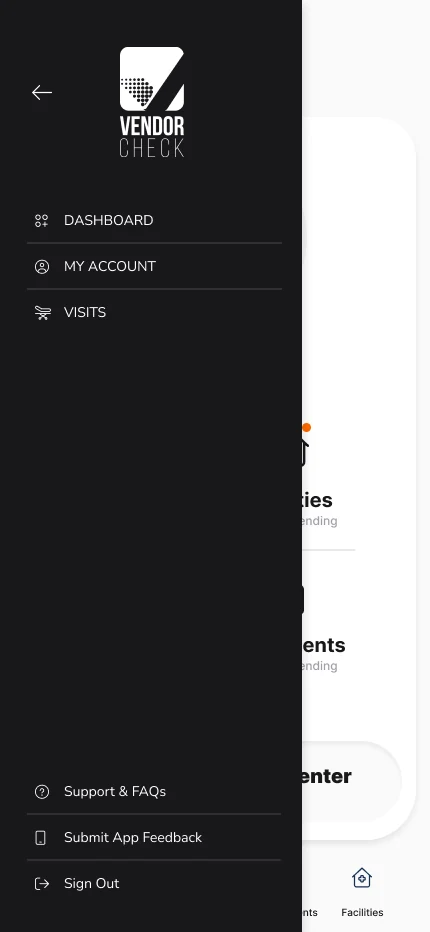
Primary work and account utilities stay separate.
Bottom navigation carries daily operations; the drawer holds account, visit, support, feedback, and sign-out routes.
- 01
Core work stays persistent
Five bottom destinations remain reachable across primary screens.
- 02
Secondary routes are quieter
Account and support tools move into the dark drawer.
- 03
Exit is deliberately remote
Sign Out sits at the end of the utility stack.
Absence, overlays, and repeated controls stay inside the same shell.
Empty states explain what is missing and provide the next possible action. Overlays preserve context while narrowing attention, and repeated controls reduce relearning across domains.
Visit extension and document maintenance both use bottom sheets: the source state stays visible while the immediate choice becomes dominant.
- Approval card
- Persistent identity
- Facility, user, and approval state stay together.
- Segmented control
- Lifecycle filtering
- Active / Archived and Active / Completed reuse one model.
- Metadata row
- Request urgency
- Dates and expiry information support prioritization.
- Bottom sheet
- Contextual action
- Extend time and record actions narrow attention.
- Bottom navigation
- Primary work
- Five operational destinations remain one tap away.
- Dark drawer
- Account utilities
- Visits, support, feedback, and sign out remain secondary.
A shared design foundation, extended to the facility visit.
Vendor Check is live, carrying the shared design language into location-based reminders and visit management. I reused patterns from Provider Wallet and adapted them to the facility visit.
State-led workflows give vendors a stable home, repeated lifecycle controls, and direct paths to resolve invitations, credentials, and access exceptions.
- 01
A shared foundation
Reusing design patterns across Vendor Check and Provider Wallet supported faster delivery and a cohesive experience.
- 02
Readable access states
Approved, expiring, and denied moments use direct language and distinct color.
- 03
Timely check-in reminders
Location data and geofencing notify vendors near a facility and remind them to check in.